



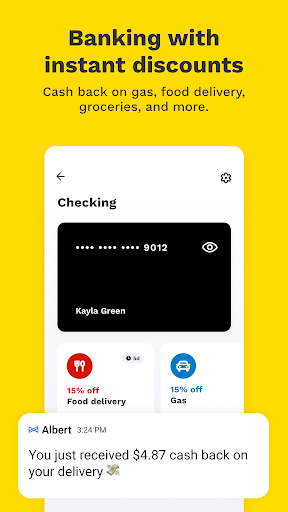
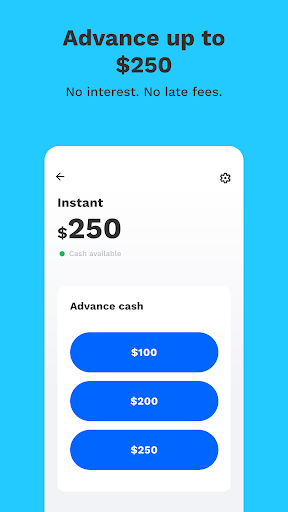
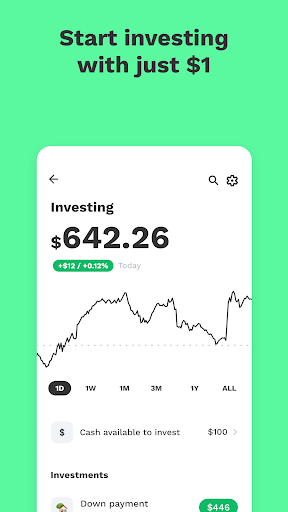
Albert: Budgeting and Banking
0+
téléchargements5.1
version Android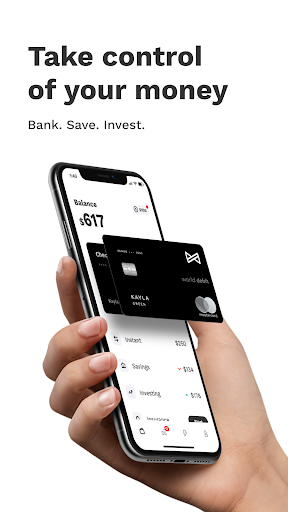

Ajouté: Denis Rubinov
Version: 7.18.0
Taille: 132.4 MB
Mis à jour: 04.02.2024
Développeur: Albert Corp.
Limites d'âge: Tout public
Autorisations: 17
Téléchargé sur Google Play: 6734610
Catégorie: Finance
Description
Application Albert: Budgeting and Banking a été vérifié par l'antivirus VirusTotal. Aucune infection de fichier n'a été détectée par les signatures les plus récentes..
Comment installer Albert: Budgeting and Banking
- Télécharger le fichier APK Applications de apkshki.com.
- Localisez le fichier téléchargé. Vous pouvez le trouver dans la barre d'état système ou dans le dossier "Téléchargement" à l'aide de n'importe quel gestionnaire de fichiers.
- Si le fichier téléchargé porte l'extension .bin (bug WebView sur Android 11), renommez-le en .apk à l'aide d'un gestionnaire de fichiers ou essayez de télécharger le fichier à l'aide d'un autre navigateur comme Chrome.
- Démarrer l'installation. Cliquez sur le fichier téléchargé pour démarrer l'installation
- Autoriser l'installation à partir de sources inconnues. Si vous installez pour la première fois Albert: Budgeting and Banking ne provient pas de Google Play, allez dans les paramètres de sécurité de votre appareil et autorisez l'installation à partir de sources inconnues.
- Contourner la protection de Google Play. Si la protection Google Play bloque l'installation du fichier, appuyez sur "Plus d'informations" → "Installer quand même" → "OK" pour continuer..
- Terminez l'installation : Suivez les instructions du programme d'installation pour terminer le processus d'installation.
Comment mettre à jour Albert: Budgeting and Banking
- Télécharger la nouvelle version Applications de apkshki.com.
- Localisez le fichier téléchargé et cliquez dessus pour démarrer l'installation.
- Installer par-dessus l'ancienne version. Il n'est pas nécessaire de désinstaller la version précédente.
- Éviter les conflits de signature. Si la version précédente n'a pas été téléchargée depuis apkshki.com, le message "Application not installed" peut apparaître. Dans ce cas, désinstallez l'ancienne version et installez la nouvelle.
- Redémarrage annexe Albert: Budgeting and Banking après la mise à jour.








Demander une mise à jour de la demande
Ajouté Denis Rubinov
Version: 7.18.0
Taille: 132.4 MB
Mis à jour: 04.02.2024
Développeur: Albert Corp.
Limites d'âge: Tout public
Autorisations:
Téléchargé sur Google Play: 6734610
Catégorie: Finance














Critiques Albert: Budgeting and Banking
Agree and continue is not working ! What the heck !'
Agree and Continue isn't working
Poster un commentaire
Pour laisser un commentaire, connectez-vous avec votre réseau social :
Ou laissez un commentaire anonyme. Votre commentaire sera envoyé pour modération.
Poster un commentaire
Pour laisser un commentaire, connectez-vous avec votre réseau social :
Ou laissez un commentaire anonyme. Votre commentaire sera envoyé pour modération.